


Google Calendar integration

Plan focused work around the schedule you already have.

Tenvilo is a Chrome focus and productivity extension for running focus sessions, blocking distracting websites, organizing tabs, and tracking progress. Google Calendar is an optional integration that helps fit those sessions around your day.

Tenvilo
Google Calendar
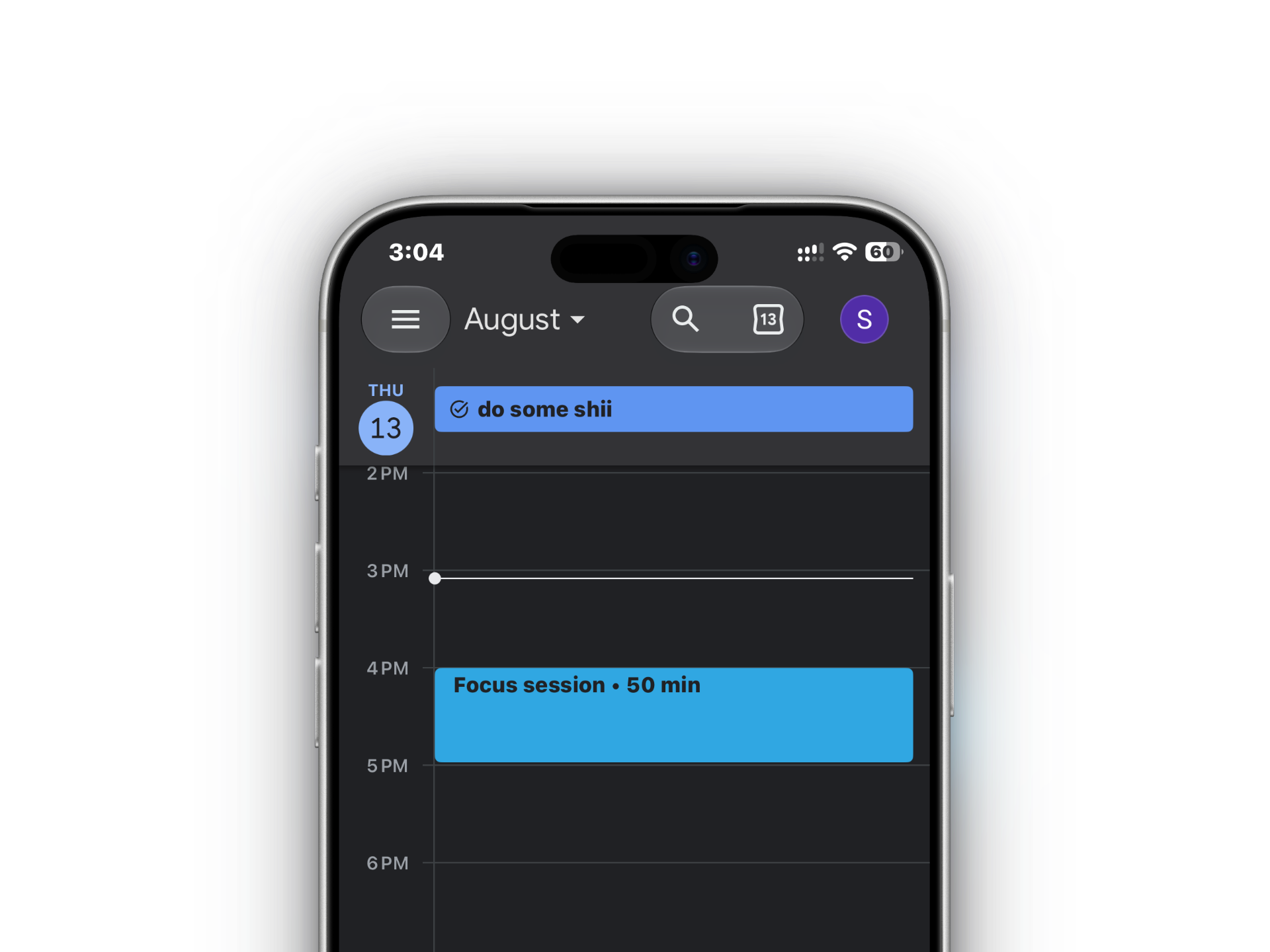
Google Calendar on a phone showing a Tenvilo focus session
Designed around your day

Calendar context without another planning system.

Keep your existing schedule in Google Calendar and use Tenvilo for the focused work that fits around it.

01

Plan around your calendar

When you choose to connect Google Calendar, Tenvilo reads events from your primary calendar so you can plan focus sessions around meetings and existing commitments.

  • See upcoming calendar context while planning focus
  • Avoid placing focused work on top of scheduled events
  • Calendar access stays optional
02

Manage focus events you choose through Tenvilo

If you use Tenvilo to manage a focus event, Tenvilo can create, update, or delete that calendar event so your schedule stays aligned with the session you planned.

  • Create a focus event when you want it on your calendar
  • Update it when the session timing changes
  • Delete the event when you remove it through Tenvilo
03

You stay in control

Google Calendar is not required to use Tenvilo. You decide whether to connect it, and you can disconnect the integration from Tenvilo whenever you no longer want it connected.

  • Optional connection — core focus features work without it
  • Calendar access is used only for the user-facing Calendar integration
  • Disconnect from Tenvilo at any time
Data & privacy

Only the calendar access needed for this feature.

Tenvilo uses Google Calendar data only when you explicitly connect the integration. The full handling of Google user data is described in the Tenvilo Privacy Policy.

01Read calendar events

Used to understand your primary-calendar schedule when planning focus sessions.

02Manage Tenvilo events

Used to create, update, or delete calendar events you manage through Tenvilo.

03Disconnect anytime

Remove the Calendar connection from Tenvilo when you no longer want the integration enabled.

Read the Tenvilo Privacy Policy
Disconnect Google Calendar

Disconnect in a few clicks.

Open TenviloConnectorsGoogle CalendarDisconnect